Project Distribution
Project distribution in Adamas follows a different model from that of a traditional game engine. In conventional engine-based workflows, the project and engine runtime are typically packaged together as a standalone application and distributed through a third-party channel such as Steam or the Meta Quest store. In Adamas, the platform runtime is provided by Adamas itself through the Platform Launcher, and developers distribute only the project content. Users launch the Adamas platform and then remotely load published projects into that runtime environment.
This model is closer to how a web browser loads web applications. It creates a clear separation between VR content and the runtime infrastructure required to execute it. This makes it easier to build VR experiences with advanced interaction, multi-user sessions, and 3D application multitasking, while platform-level infrastructure is handled by the Adamas runtime.
Project Launch Model
One of the main differences between Adamas and other VR content platforms is its project launch model. Adamas supports loading multiple projects into a shared virtual environment. A project can be published either as a world project or as a regular project. A world project acts as the primary entry space for a session and differs from a regular project in several important ways:
- A world project can only be launched as the first project in a local or network session, before users enter the session, while regular projects can be launched within an active session.
- A world project is launched at the same zero origin as the authored scene origin in Project Studio, whereas a regular project's zero origin is launched in front of the user who starts it.
- After launch, a world project also teleports users to the configured spawn point in the session, while a regular project does not define a spawn point.
World Projects
World projects are typically used as the entrance into a virtual space or a fully immersive experience. They can only be launched as the first project in a session, whether the session is local or networked, and users who enter that session are placed at the spawn point defined by the project.
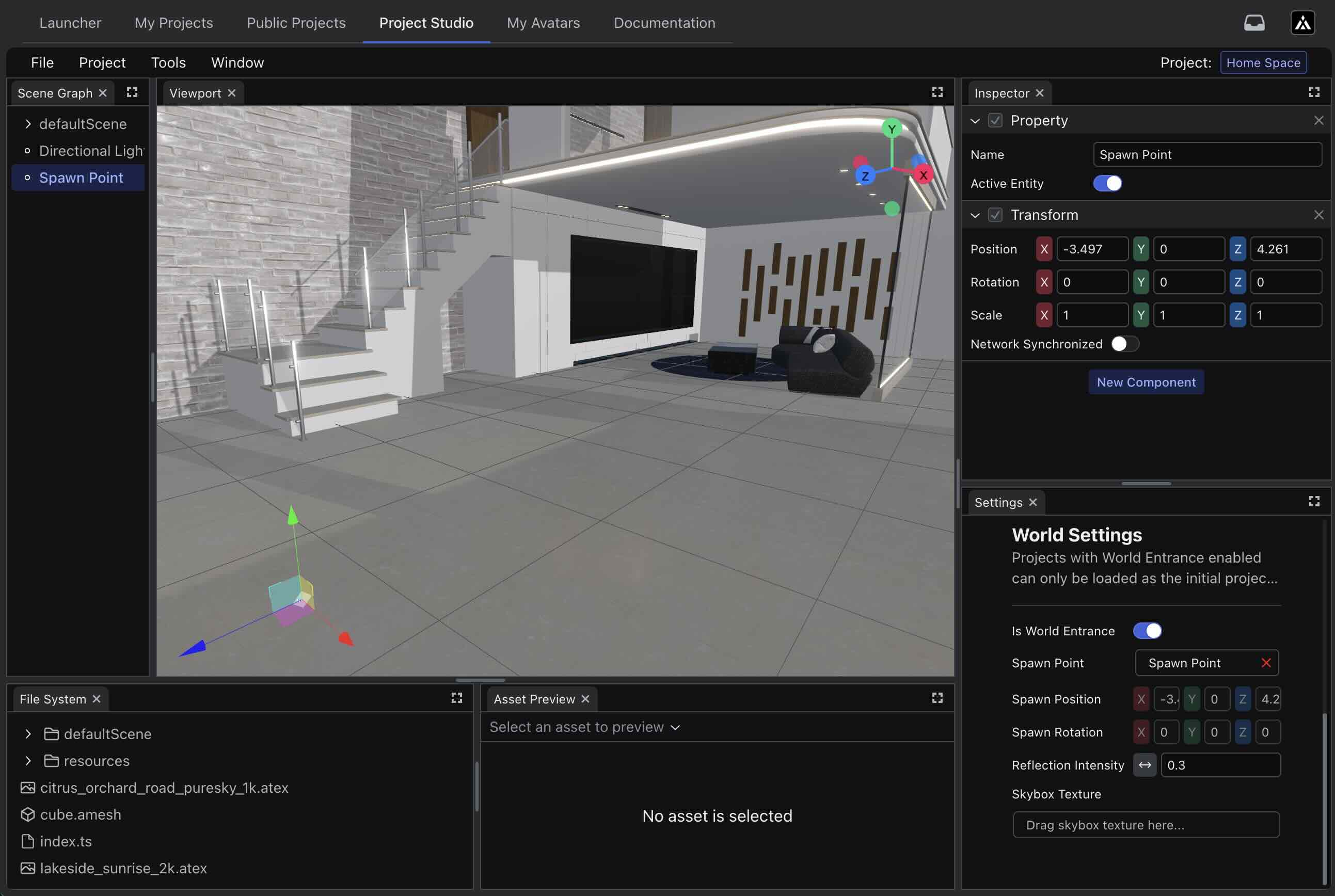
World project configuration in Project Studio.
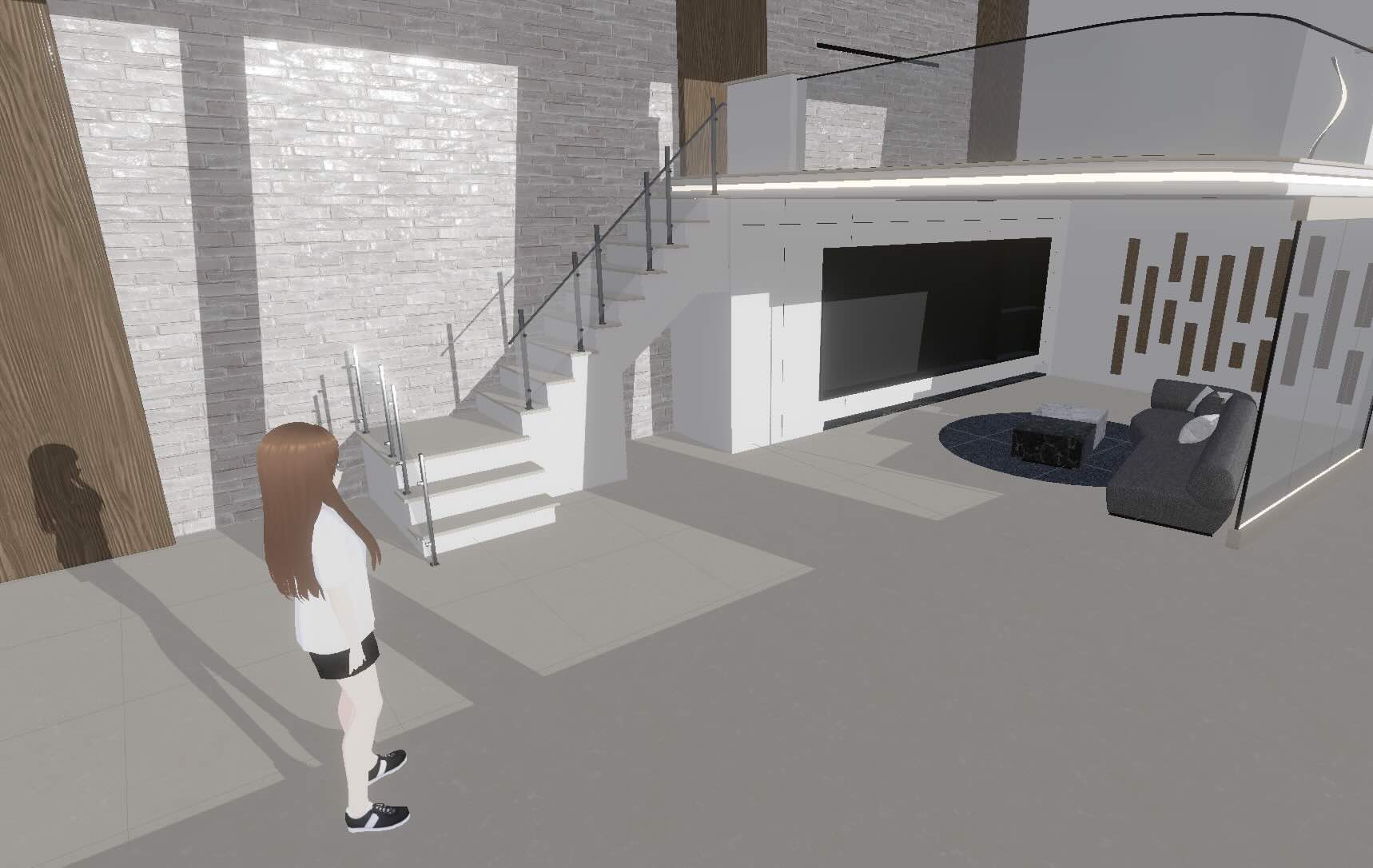
World project launch behavior at session entry.
Regular Projects
Regular projects are launched within an existing session. They appear in front of the user who starts them rather than replacing the session entry environment. In a networked session, the same project is also launched on each client at the same position in front of the user who launched it. This behavior is enabled by the multiplayer runtime, that Adamas projects can operate in a multiplayer session by default.
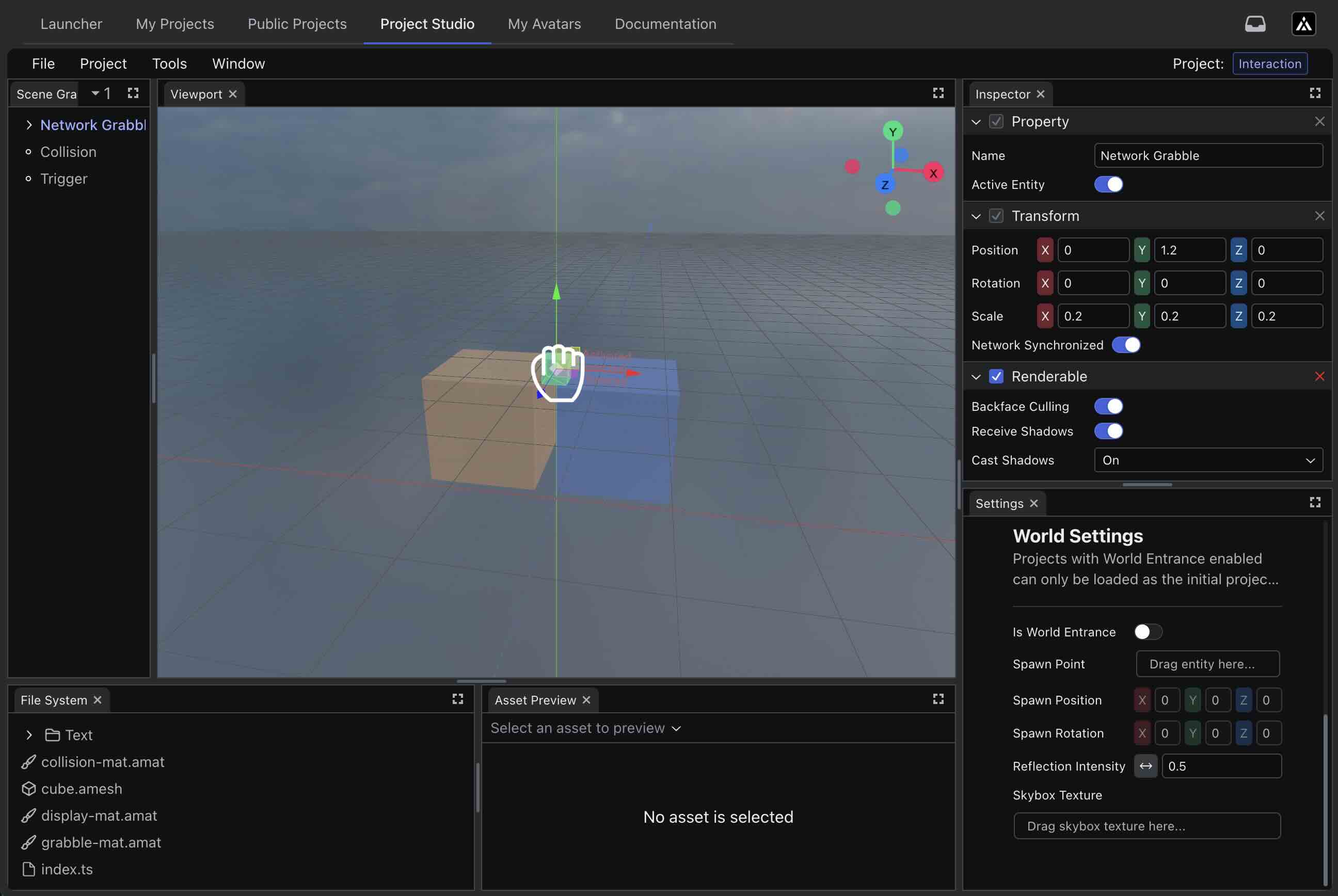
Regular project configuration in Project Studio.
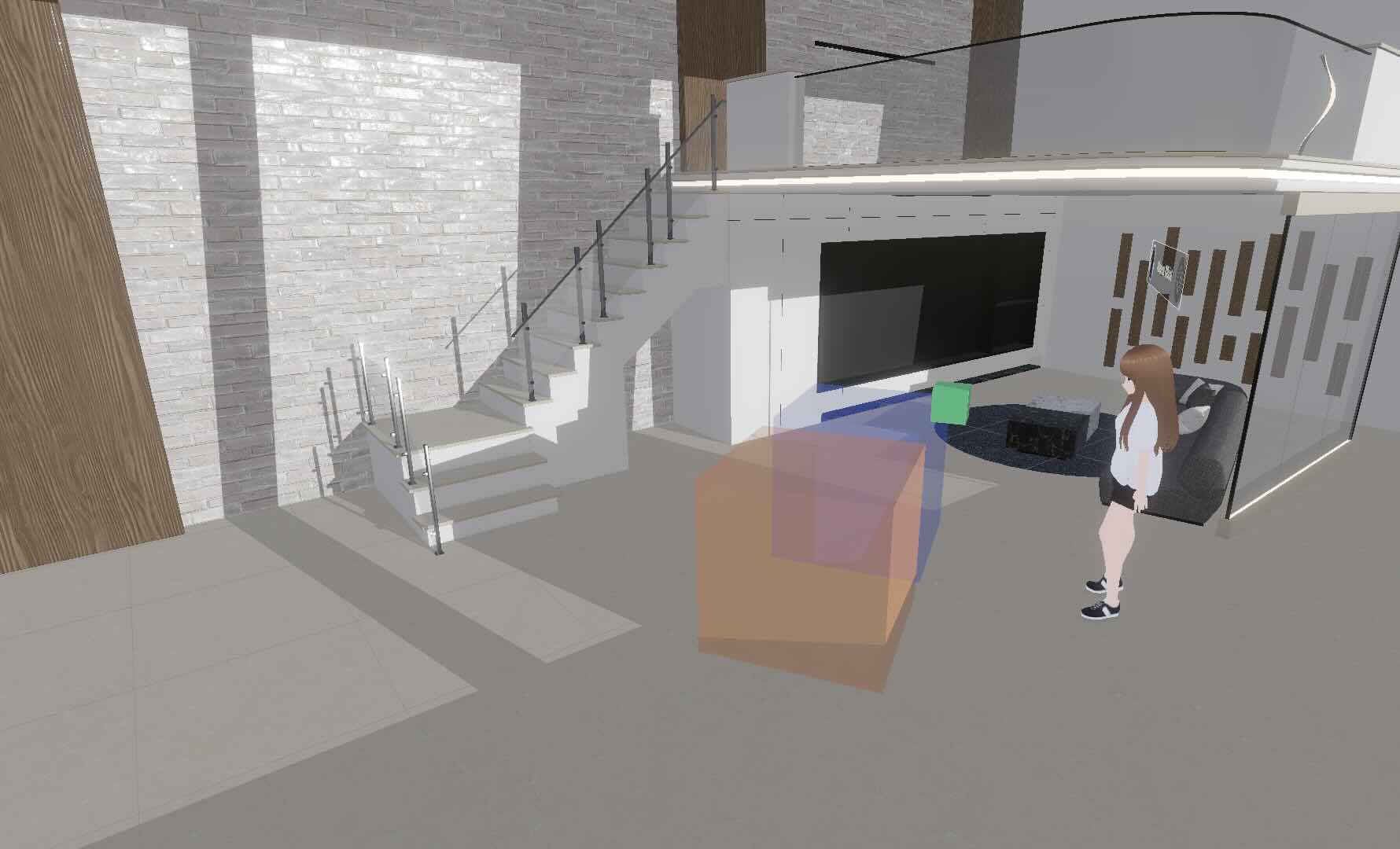
Regular project launch behavior within an active session.
Platform Distribution on Adamas
For the best experience in networked multi-user experiences, it is recommended to distribute finished projects through the project library on Adamas. In Project Studio, platform distribution is managed through the Build and Publish windows. To access these workflows, open the Project menu and select Build or Publish.
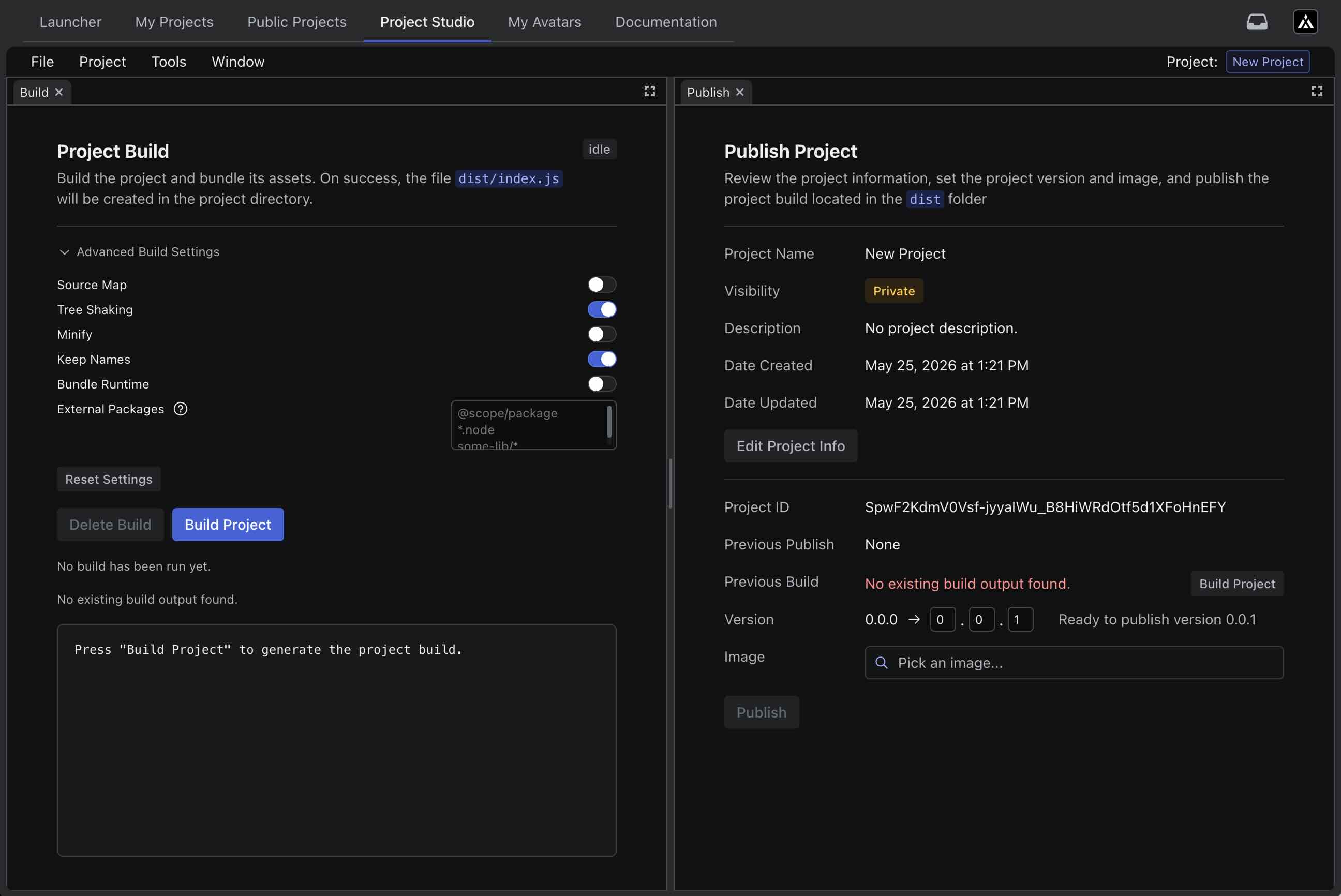
Build and publish windows in Project Studio.
Configure Project Information
Project information should be configured before building. This window can be opened either from Project -> Settings or from Edit Project Info in the Publish window.
From the Settings window, developers can update the project name, edit the project description, and change publication visibility. Visibility is private by default, which means other users will not see the published project unless that visibility is changed.
This window is also where a project can be marked as a world project by enabling the Is World Entrance option and configuring a spawn point. When enabled, the project is treated as a world project and can only be launched as the first project in a local or network session.
Build the Project
Project source files are not distributed directly through the project library. Only the build artifact can be published. The Build window generates dist/index.js in the project root. For more information, see Build.
Publish to the Adamas Platform
A project ID is automatically computed from the project name and the user ID of the publisher. The project name therefore serves as the identifier used to create the project's entry in the project library. If a project with the same name has been published previously, the Publish window displays the date of the last publication.
To publish a new build, a version greater than the previously published version must be provided. An optional project image can also be uploaded to represent the project in the library.
Distribution Outside the Platform
Outside-platform distribution is experimental and does not support network sessions. Developers may evaluate this workflow, but it is not yet stable for production use and remains subject to change. Developers who want to learn more about this workflow are encouraged to join the Discord community.
An alternative distribution approach is to treat an Adamas project as a standalone TypeScript application and distribute it through any channel chosen by the developer, in the same way as other TypeScript applications. This approach is closely related to local debugging, but is used here for external distribution rather than development-time testing.
In this model, the @adamasvr/sdk API still expects a running Adamas platform process and communicates with the platform runtime through its internal mechanism. As a result, developers are responsible for ensuring that users launch the Adamas platform before launching your application, or for implementing a co-launch workflow that starts both together.
The Adamas platform continues monitoring for external applications that use the TypeScript interface to connect to the platform runtime. Once the application is connected to the Adamas runtime, it can invoke the Adamas API as normal.
For additional technical detail, refer to the TypeScript API source, particularly the internal RPC implementation used for communication between TypeScript applications and the Adamas runtime: library/rpc.ts.